

Contents
Key takeaways
- One shortcut, you speak, and the cleaned-up text is typed wherever the cursor is, in any application.
- Two modes: Online with Mistral AI (13 languages) or Private, entirely on the computer, even offline.
- Vooix measures the machine and picks its AI models to stay smooth, using the NVIDIA card when there is one.
- A safeguard keeps the original transcript if the AI cleanup cuts or invents text.
- A project led alone from end to end: apps, engines, server, accounts, subscriptions and updates.
Vooix turns speech into clean text in any application. You press a shortcut, speak, and the text, cleaned up and punctuated by an AI without being rewritten, is typed wherever the cursor is. I designed and built the whole project: the Windows app, the Mac version, the AI engines that run on the computer, the server, accounts, subscriptions and updates.
What Vooix does, and who it is for
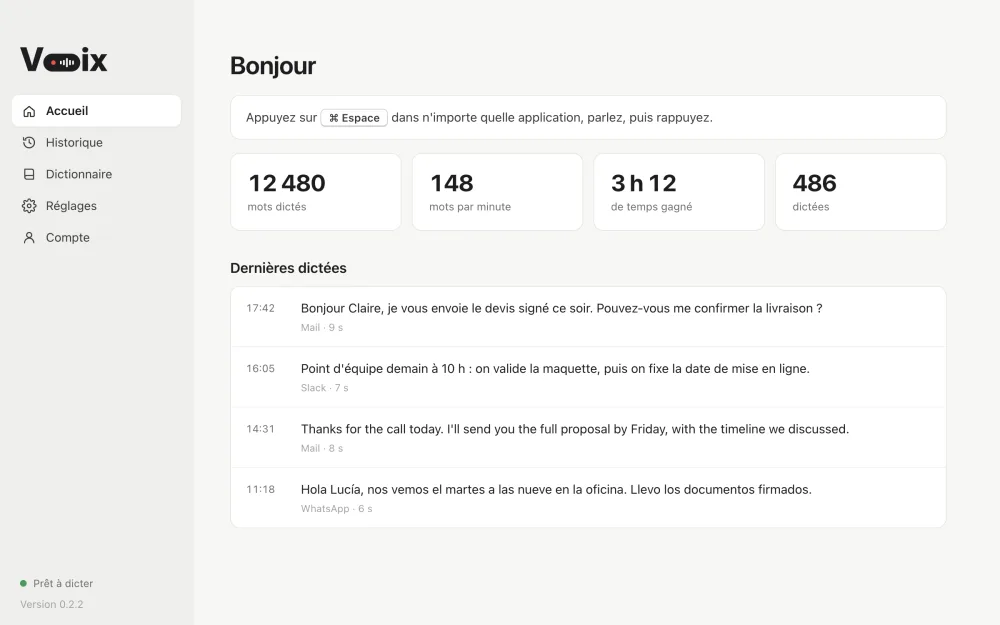
Vooix is for anyone who writes a lot: messages, emails, documents, notes, replies to clients. Instead of typing, you dictate, in every application where you can type. The result is not a raw transcript full of "uh": it is punctuated, capitalized text, ready to send.
The app offers two modes, chosen by the user:
- Online: speech is transcribed by Mistral AI (Voxtral) through the Vooix server, in 13 languages. Nothing more to install.
- Private: speech recognition and cleanup run on the computer, even offline, in about a hundred automatically detected languages. No audio leaves the machine.
Three plans frame usage: a free version, Vooix Private and Vooix Pro. The Windows version is released; the Mac version is in preparation.
The flow: three gestures
- Press the shortcut. Ctrl + Space by default on Windows, changeable in the settings. A small capsule appears on screen with a very soft sound: Vooix is listening.
- Speak. In Private mode, if the computer is fast enough, the words form live in the capsule. Escape cancels at any time.
- Press again. The cleaned-up text lands in the field where the cursor is. If no field is active, it is copied and the capsule says you just need to paste.
The previous clipboard content is restored after typing: dictating never loses what you had copied.
Features
- AI cleanup: hesitations, stutters and repeated words removed; when you correct yourself ("Tuesday, no, Wednesday"), only the correction stays. Punctuation, capitals and spelling fixed, without summarizing or translating.
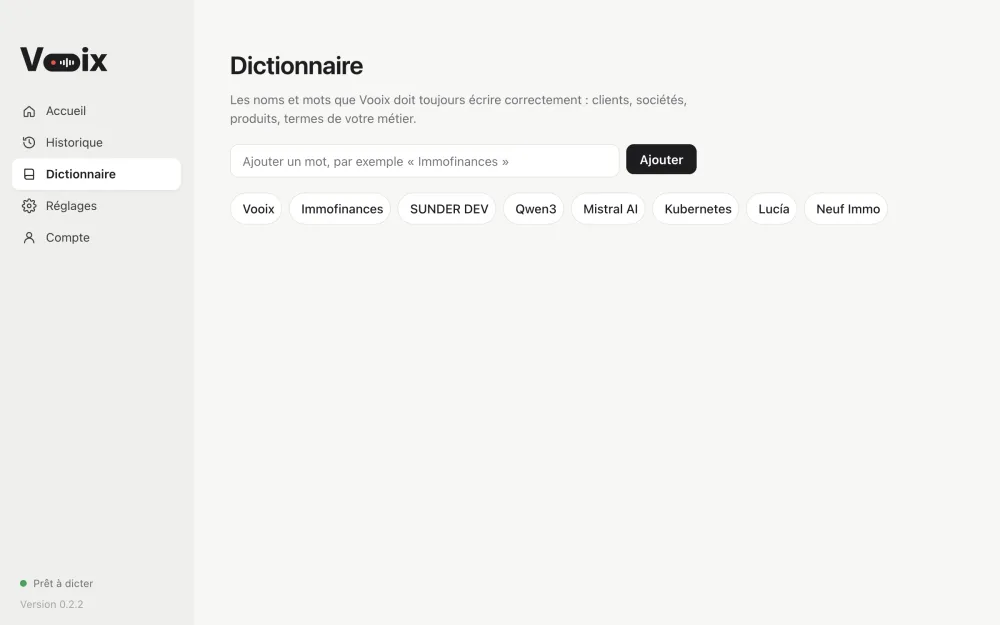
- Dictionary: proper names and trade terms Vooix must always spell right. They are given to both speech recognition and cleanup.
- Snippets: a short spoken phrase, such as "my address", is replaced by text saved in advance. Matching ignores capitals, accents and punctuation added by the cleanup.
- History: every dictation with its cleaned text, original transcript, duration, language and the app it was typed into.
- Statistics: words dictated, speed and time saved compared with typing.
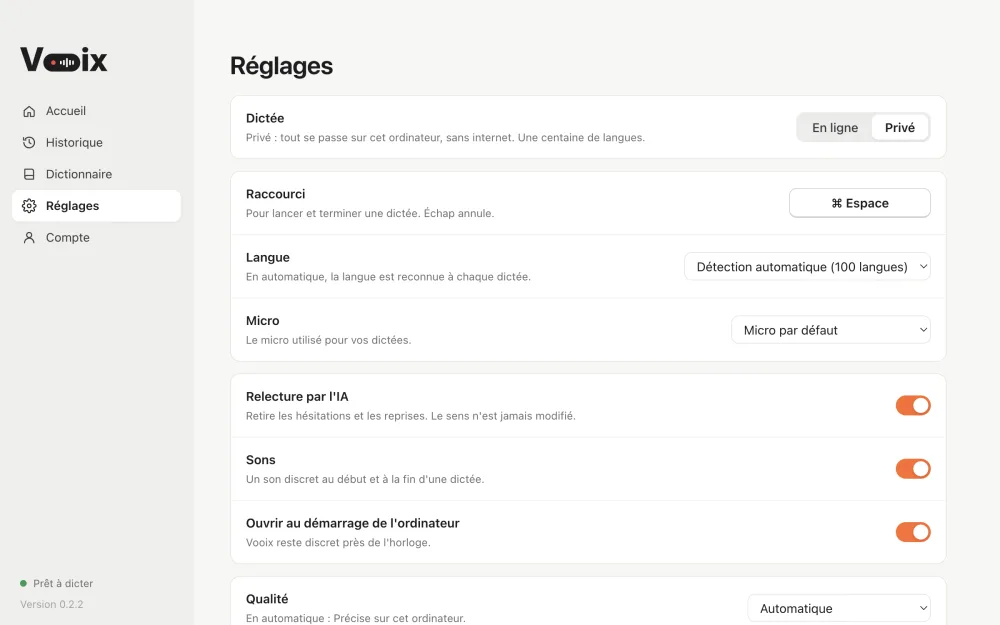
- Settings: Online or Private mode, shortcut, microphone, language or automatic detection, cleanup on or off, sounds, model quality (automatic, fast, balanced, accurate), launch at startup.
- Passwordless account: a 4-digit code received by email. The session is kept encrypted by the operating system, and a new code is required after 60 days without use.
- Subscriptions: payment through Stripe, remaining minutes shown on the Account page.
- Automatic updates: downloaded in the background, offered in a window, installed on quit if dismissed.
The technical challenges, and how I solved them
Running two AI models on any PC
In Private mode, two models run at the same time on the computer: whisper.cpp for recognition, llama.cpp with Qwen3 for cleanup. On a recent desktop PC, that is comfortable. On a modest laptop, it can freeze everything. So Vooix measures the machine on first launch: memory, number of cores, graphics card. The card's memory is read from the Windows registry, because the usual interface caps it at 4 GB and would skew the choice.
Based on the result, Vooix picks one of three levels:
- Accurate: Whisper large-v3-turbo and Qwen3-4B, with the CUDA build of whisper.cpp downloaded only when an NVIDIA card is present.
- Balanced: a lighter Whisper model and Qwen3-1.7B.
- Fast: for small machines, cleanup is limited to rules without AI, so the user never waits.
If the NVIDIA build does not start (outdated driver, missing library), Vooix falls back to the processor on its own. Models are downloaded on first launch with resume after a cut, and kept only once complete. A damaged model is recognized from its error message, deleted, then downloaded again.
Local engines that never stay stuck
Both engines are small servers launched in the background. Vooix assigns them free ports at each start, stops engines left running after a crash (only its own, recognized by their location), loads both models in parallel and shows progress as a percentage, read from what the engines print. Everything is written to a log to understand a failure on a user's machine.
Cleanup that invents nothing
A language model tends to answer questions you dictate, or to "improve" the text. The instruction puts the dictation between tags and states that it is not a message addressed to the AI. Above all, a safeguard checks the output: if the cleaned text loses too many words, adds too many, or loses a question mark, Vooix keeps the original transcript. Very short dictations skip the AI. Phrases engines sometimes invent on silence ("thanks for watching", subtitle credits) are filtered out.
Typing into other people's apps
Vooix has to type into software it does not control. On Windows, the text goes through the clipboard and a Ctrl+V simulated with system functions. Beforehand, Vooix checks whether a text field has the caret: if not, the text stays copied and the user is told. The previous clipboard content is then restored. On Mac, pasting goes through CoreGraphics, with the Accessibility permission.
Online mode, without keeping the voice
The PHP server receives the audio, checks that it is a valid audio file and that the user still has minutes, then relays it to Mistral. The audio is never stored. Dictionary words are passed to Voxtral (100 at most): since the API expects one repeated field per word, the request body is built by hand. When Mistral's rate limit is hit, the server retries with increasing delays. Each account also has its own call limit.
A paid mode that works offline
Private mode requires a subscription, yet it must work without internet. The subscription is checked by the server, re-read every 6 hours, and Private mode stays available for 30 days after the last successful check.
Shipping an update safely
Updates go through electron-updater, on a channel hosted by sunderdev.com. The release script checks that the manifest exactly matches the installer (SHA-512 hash and size), uploads the files to a folder outside the public site, lets the server re-check everything, publishes the manifest last, then verifies the result over HTTPS, the way the app will see it. An error at any step stops everything.
Tech stack
- App: Electron and Node.js, Windows system calls through koffi.
- On-device AI: whisper.cpp (optional CUDA) and llama.cpp with Qwen3; on Mac, engines compiled for Apple silicon.
- Online AI: Mistral AI API (Voxtral for transcription, a Mistral model for cleanup).
- Server: PHP and MySQL, email code sign-in, Stripe subscriptions.
- Updates: electron-updater, release checked by script.
What this project shows
Vooix brings together topics rarely handled together: on-device AI that must stay smooth on very different machines, an online AI whose behavior has to be kept in check, low-level integration with the operating system, an online service with accounts and payments, and a reliable release pipeline. I did all of it alone: design, identity, Windows and Mac apps, local engines, AI cleanup, server, accounts and subscriptions, accuracy measurements, product page, release and updates.
Do you have a software project involving AI, on the computer or online? Get in touch. To go further, see all screenshots or the Vooix page.
Frequently asked questions
Does Vooix work without internet?
Yes, in Private mode: speech recognition and cleanup run on the computer. Online mode goes through the Vooix server and Mistral AI.
Is the voice stored on a server?
No. In Private mode, no audio leaves the computer. In Online mode, the audio is relayed to Mistral for transcription and then discarded: the Vooix server does not store it.
Can you add on-device AI to my own software?
Yes. Vooix shows how to run models such as Whisper or Qwen3 on the computer, size them to the machine and keep their output in check. Let's talk about your needs through the contact page.


